Account, Plans and Messages
Choose your language, see what the Start and Pro plans include, control AI processing of recordings, write to the team and delete your account if you ever want to.
What You'll Learn
- Changing the language of the app
- What the Start and Pro plans include
- Allowing or withdrawing AI processing of recordings
- Messages to the team
- Deleting your account and your data
Choose your language
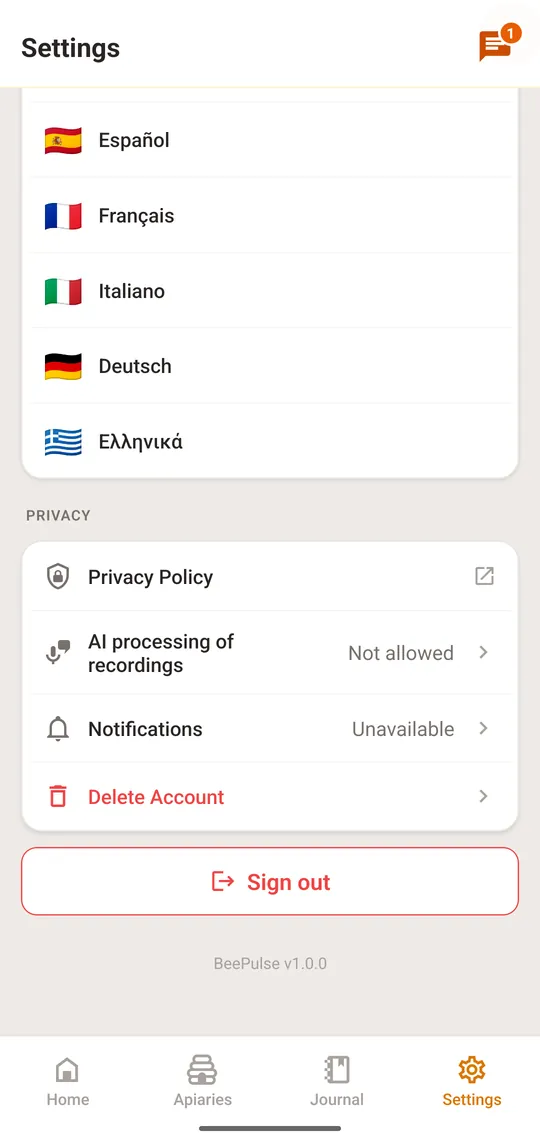
BeePulse speaks Romanian, English, Spanish, French, Italian, German and Greek. The whole app changes at once.
Select a step to see where to tap
Your plan
At the top, “Settings” shows your plan. “Start” is the free plan.
- “Start”: up to 3 apiaries and 10 hives. Inspections by tap or by typing are unlimited. Voice is not included; it is free during the first 15 days of Pro
- Pro: up to 20 apiaries and 50 hives, voice inspections and voice notes with a monthly credit of up to 400 minutes (20 minutes per hive), recordings up to 25 minutes, and export of the logs (CSV and PDF)
AI processing of recordings
A voice inspection turns your speech into entries with the help of a third-party AI service. The app asks once, before the first recording, and you can change your mind at any time.
Select a step to see where to tap
Messages to the team
Communication with our users is very important to us. Here you can send us a simple message, report a problem, or request a new feature. We read every message and will reply as soon as possible.
Select a step to see where to tap
Delete your account and your data
You can delete your account and its data yourself, from the app.
Select a step to see where to tap