Inspection Logbook
Start recording inspections to track queen status, brood patterns, and colony health.
Learn how to create apiaries, manage hives, track queens, and organize your operation
To make it easy to start, BeePulse creates your first apiary and your first hive when you sign up. You only rename them and give the apiary an address, which gives you its weather.
Select a step to see where to tap
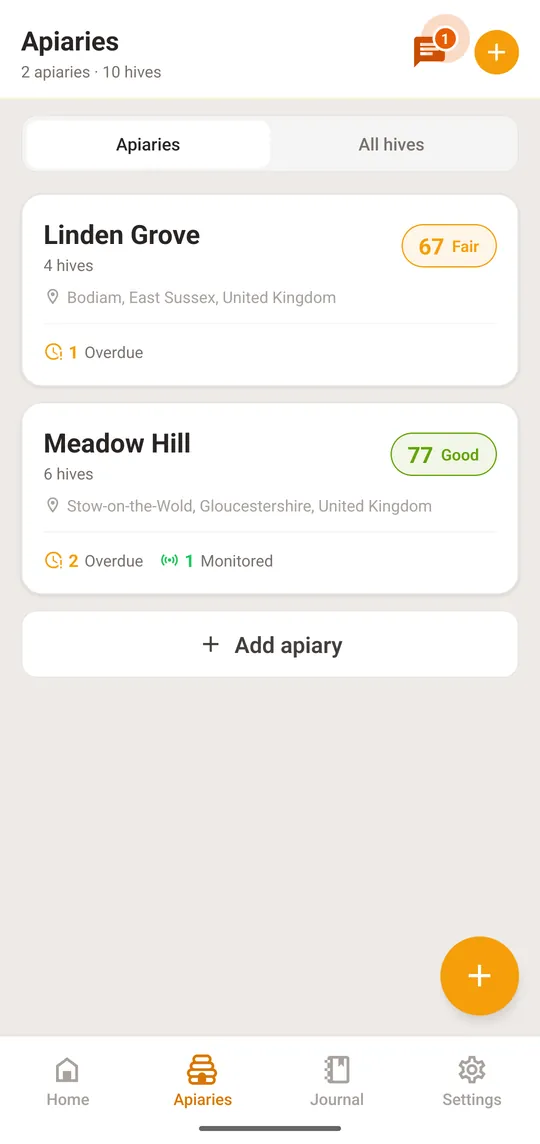
An apiary is a place where you keep hives; a hive always belongs to one apiary.
Select a step to see where to tap
Each hive in your apiary can be tracked with detailed information about the queen, type, and status.
When you physically move hives to a different location, update their apiary assignment in the app.
Deleting a hive removes it for good, with its inspections, notes, voice recordings, treatments and photos. It cannot be undone, and it frees a place under your plan's hive limit.
Only if you also have a monitoring station. Connect your BeePulse monitoring stations to specific hives to see sensor data alongside your hive records.
Start recording inspections to track queen status, brood patterns, and colony health.
View sensor data charts and track weight trends for your linked stations.
Contact our support team for assistance with apiary and hive management.