
Weather

Set up weather forecasts for your apiaries and use weather data for planning

What You'll Learn

  • Giving the apiary an address, so it gets a forecast
  • The week at a glance on Home
  • The 7-day forecast of an apiary, and what makes a good day
  • Weather on the monitoring charts
  • Weather and inspection planning tips
1

Give the apiary an address

The forecast comes from the apiary's place on the map, so the apiary needs one first. Without it, the apiary page asks you to set the address and Home leaves it out of the weather list. On the web app you do the same by editing the apiary and setting its address or its position on the map.

Select a step to see where to tap
Open “Apiaries” and tap the apiary
2

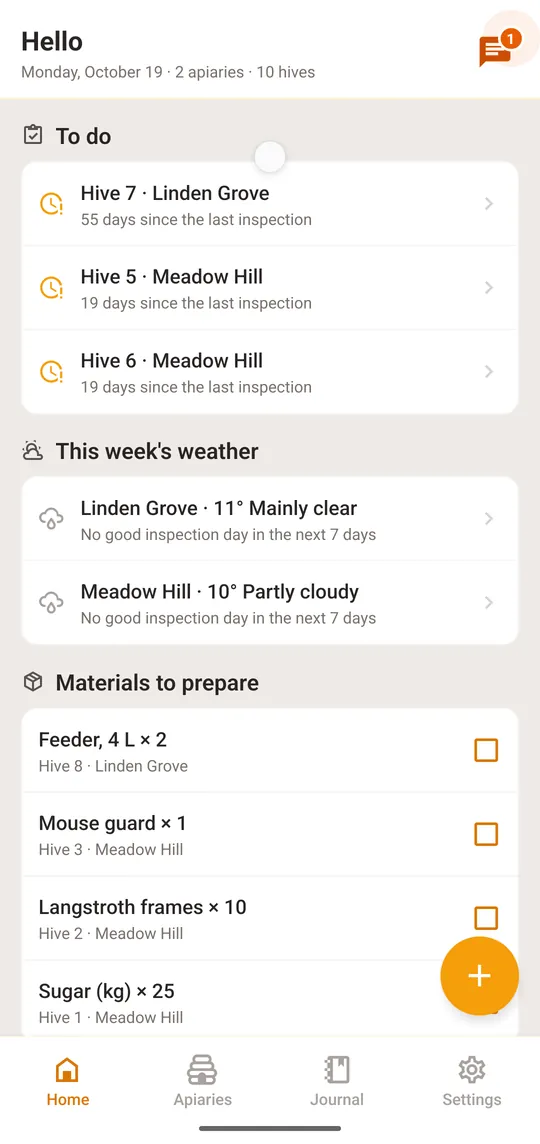
The week at a glance on Home

Select a step to see where to tap

Open “Home”, the first tab
3

The 7-day forecast and the good days

Every apiary with a place on the map shows its weather: now, and the next seven days.

Select a step to see where to tap
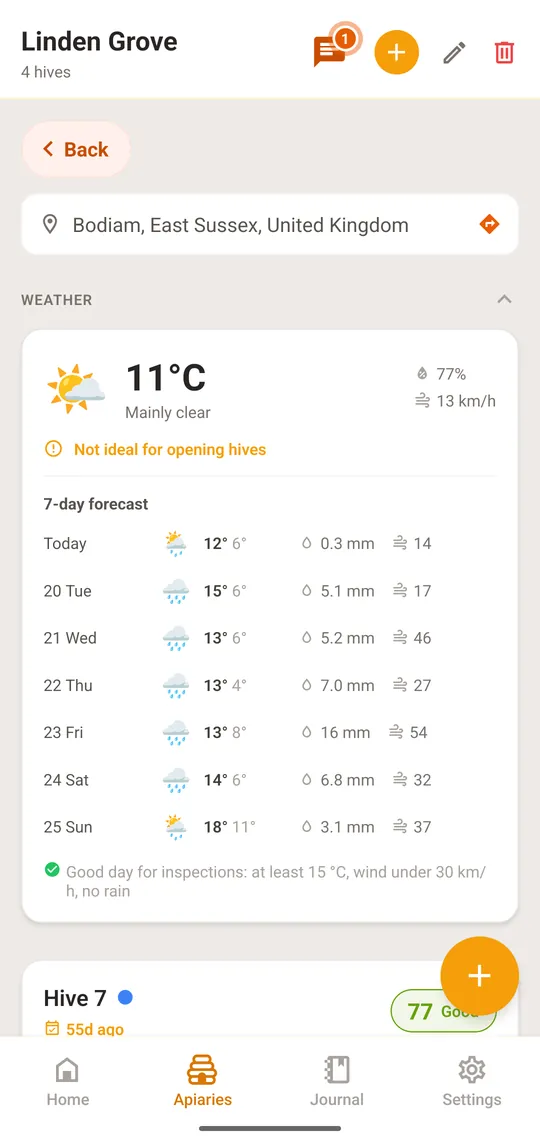
Open the apiary; the “Weather” section is at the top
On the web app, the apiary's weather strip shows the same seven days; click a day to see its temperature, rain, wind and how many hives the apiary has.
4

Weather Overlay on Monitoring Charts

The weather overlay adds temperature and precipitation data to your monitoring charts, letting you correlate sensor readings with weather conditions.

  1. Open the Charts page from the sidebar
  2. Select a hive linked to an apiary with GPS coordinates
  3. Click the 'Weather' toggle button in the chart toolbar
  4. Temperature and precipitation data appear as an overlay on your charts
Weather overlay requires the apiary to have GPS coordinates set. If the toggle is disabled, edit the apiary to add coordinates.
5

Weather and Inspection Planning Tips

Use weather data to make smarter beekeeping decisions.

  • Schedule inspections on warm, calm days (above 15°C, low wind)
  • Avoid opening hives on rainy or cold days
  • Plan treatments around dry weather windows for better effectiveness
  • Watch for sudden temperature drops that may require feeding
  • Use the forecast to time nectar flow predictions with weight data
  • Schedule follow-up inspections on days with favorable weather

What's Next?

  • Inspection Logbook

    Record inspections and see weather conditions alongside your observations.

  • Alert Setup

    Configure notifications for weather-related events and station alerts.

  • Need Help?

    Contact our support team for assistance with weather features.