The notebook in your pocket: what changes when you log inspections on your phone
An ordinary day at the apiary with your notes in your pocket: what you see before leaving, how you log at the hive with gloves on, and what you can find any time after.
- Mobile app
- Inspections
- Hive records
You're at hive 7. The smoker is still going, your gloves are sticky up to the wrist, and on the third frame you find two queen cells. The notebook is in the car, parked at the edge of the field. You tell yourself you'll remember.
That evening, at the kitchen table, you try to write it all down. Were the queen cells in 7 or in 4? Did you put the feeder on 9, or only mean to? And what did you need to bring next time: frames, or a new entrance reducer?
If that sounds familiar, this post is for you. Not to sell you the idea that a phone makes you a better beekeeper, but to show what actually changes on an ordinary day at the apiary when your notes are in your pocket.
Paper isn't the enemy
Plenty of beekeepers keep excellent records on paper: a card under the roof, a notebook per apiary, a few lines after every visit. If it works for you, there's no reason to stop. A pencil needs no battery, and a record card in the roof is exactly where you need it.
The trouble grows with the number of hives. With three or four colonies you can hold it all in your head. Somewhere between ten and twenty, especially across two sites, you can't. Sheets get honey on them, blow out of the box, stay in the other car. And notes that nobody reads again don't help at the next visit.
Before you leave the house
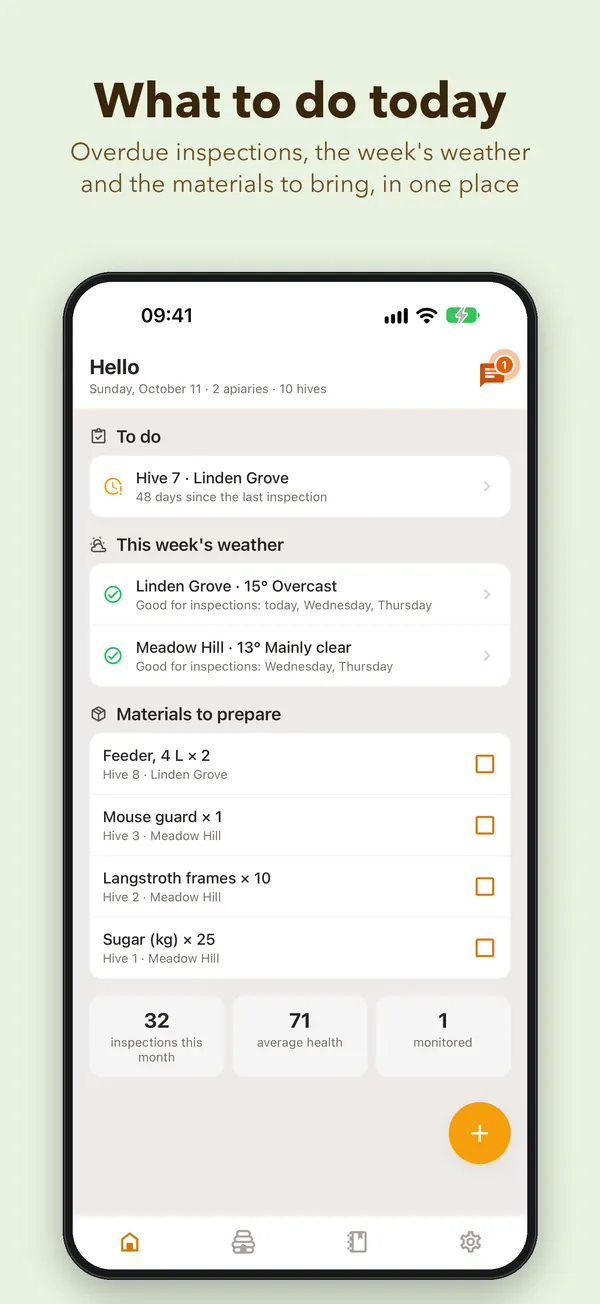
Open the app and the Home screen already tells you what's waiting. Hives you haven't looked at for a while. Hives where you noted a problem last time. Hives you can't harvest from yet, because the waiting period after a treatment isn't over.
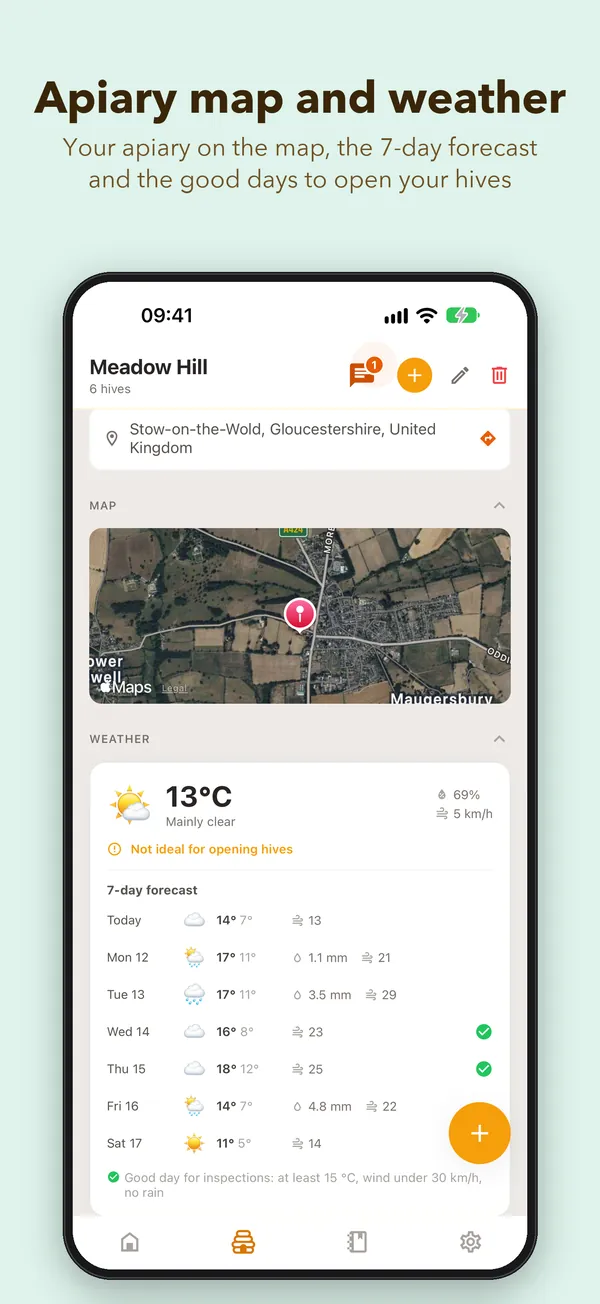
On the same screen there's the weather for the next seven days at each apiary, with the good inspection days marked, and the list of Materials to prepare. Read it once and you know what goes in the boot. Tick things off the list as you set them aside.
At the hive: tap or talk
What you do depends on your hands.
If you can touch the screen, use Quick Log. Big buttons for colony strength, the queen, brood and stores, big enough to hit with gloves on. No typing. Quick Log is included in the free plan, with no limit.
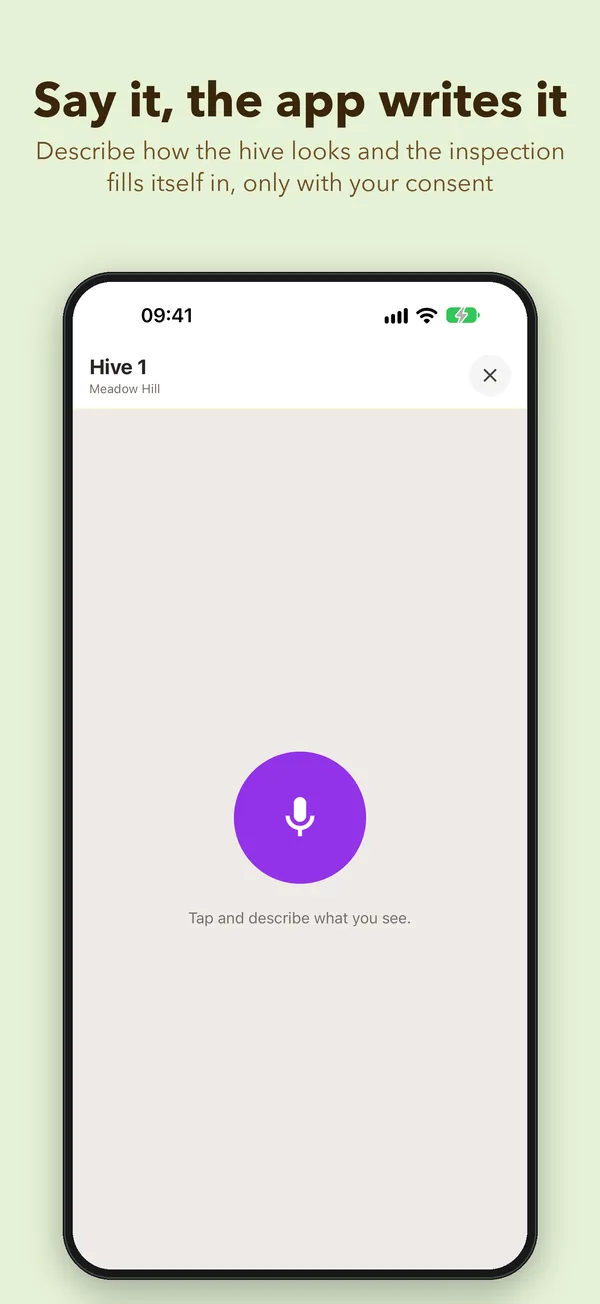
If your hands are full or you don't want to put the frame down, talk. Tap +, choose Voice Inspection and say what you see in your own words: “strong colony, queen seen, brood on six frames, two queen cells on frame three, bring two drawn frames next time.” The inspection fills itself in from what you said, and the frames you mentioned land on the materials list. No typing up a voice memo at night. Just glance over it and fix anything it got wrong.
Two small things that matter once you have thirty hives. If the hive's QR code is stuck on the lid, scan it and its page opens straight away, no scrolling through a list. And the Photo button on the hive page opens the camera there and then, so you can keep that odd-looking brood frame and compare it next month.
When there's no signal
A lot of apiaries sit at the edge of a village or on a hillside where the signal comes and goes. It doesn't matter. What you log stays on the phone and is sent by itself once you're back online. The top right corner of the Home screen shows whether anything is still waiting.
Whenever you want to look back
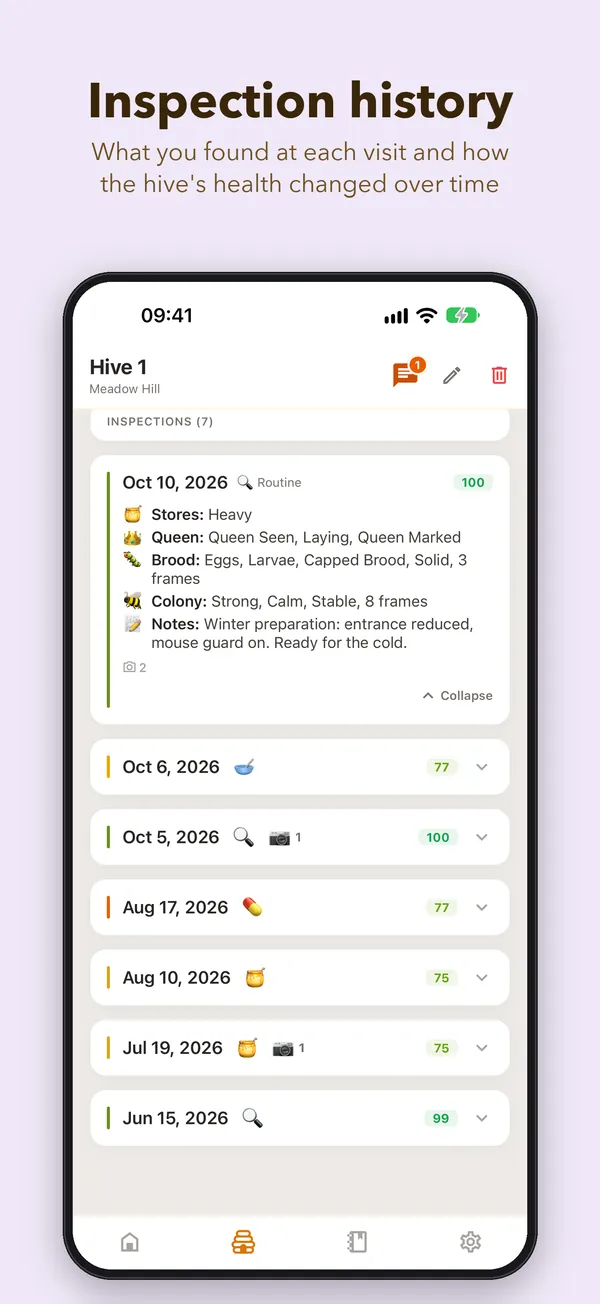
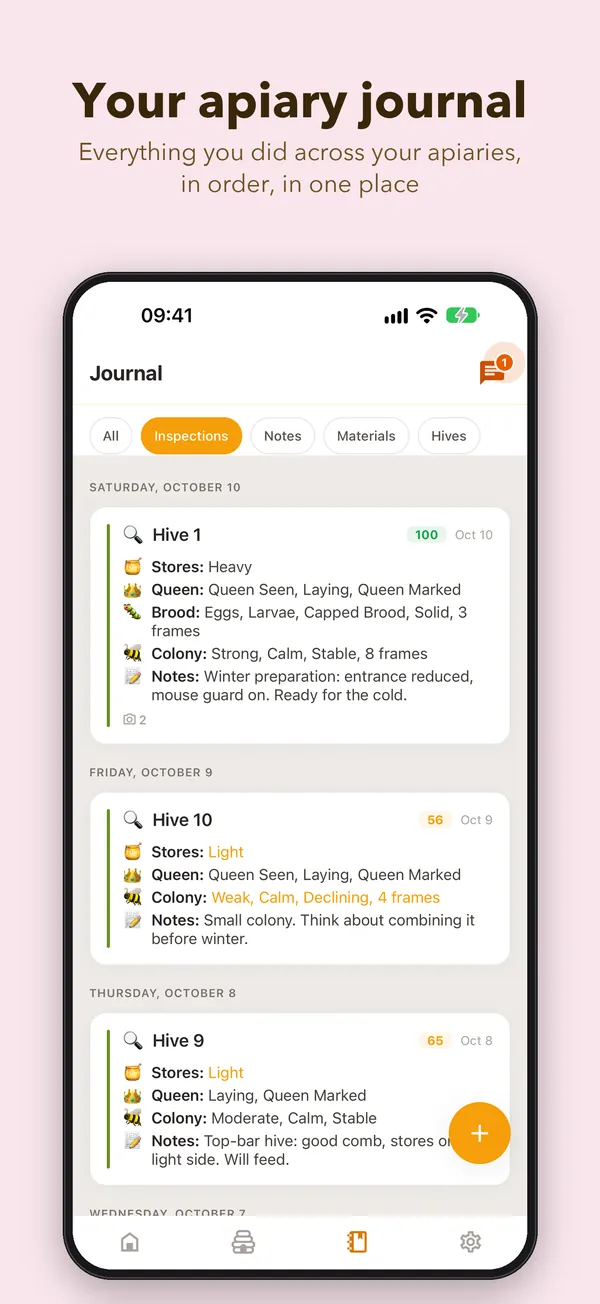
This is the real gain. The Journal holds everything that happened at your apiaries, in order: inspections, notes, materials. When you wonder what you did at a hive three weeks ago, you have the answer in ten seconds, even standing in a neighbour's yard.
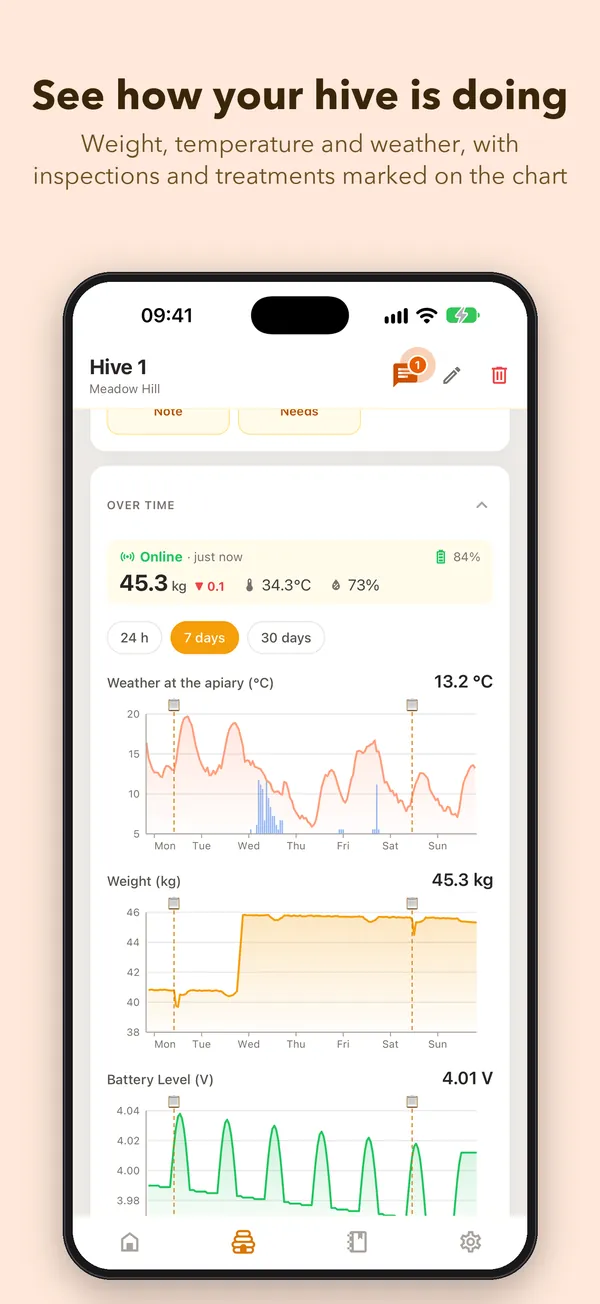
On each hive's page, the Over time section puts the weather and everything you did there on the same timeline. You can see at a glance that the week without inspections was the rainy one, or that the colony dropped back after a cold spell. With Pro you can listen to the hive's summary before lifting the lid: when you last saw it, how strong the colony was, which queen it has.
And because it's the same account, everything you log on the phone is also on the computer, where the treatment register, the charts and the exports are easier to work with. The free plan shows the last 30 days of history; Pro keeps up to five years.
What it doesn't do
The app doesn't inspect for you, and it won't tell you what to do with a colony. It helps you remember what you saw and find what you noted. Voice inspections are worth checking afterwards: an AI service does the transcription, it asks for your consent the first time, and now and then it mishears a word, especially in the wind. Voice, photos and the spoken summary are in Pro. The Start plan stays free for good, for three apiaries and ten hives.
The card in the roof can stay where it is, too. Some beekeepers use both and are happy that way.
Getting started in five minutes
- Install the app from the App Store or Google Play. The links and a QR code are on the app page.
- Sign in with the same account you use on the computer.
- Add your apiary's address so you get the weather and the good inspection days.
- From the web app, print your hives' QR codes and stick them on the lids.
- On your next visit, do a single Quick Log on a single hive. The rest follows.
Next time you find queen cells on frame three, you won't have to remember whether it was hive 4 or 7. You note it there, at the hive, and go back to the smoke and the frames.