Voice hive inspection: say what you see and the app fills in the inspection
With gloves on and a smoker in your hand, you cannot type. With Voice Inspection you describe the hive out loud and BeePulse turns your words into a finished inspection that you check before saving. It is a Pro feature, free during the 15-day trial.
Free forever · No card · Web, iPhone and Android
Gloves, smoker, busy hands
At the hive you have one free hand, and it is covered in propolis. Taking out the phone, unlocking it and tapping through ten screens means closing the hive halfway, washing your hands or writing everything up in the evening from memory.
Voice Inspection takes typing out of the equation: you talk naturally, as you would to a colleague, and the app does the rest.
How it works, step by step
It all happens in the phone app. You do not have to learn a fixed script.
Start
Tap the + button and choose “Voice Inspection”, or open the hive and tap “Voice Inspection”. Pick the hive (it is already picked if you started from the hive).
The first time: consent and microphone
The app explains what is sent to the AI services and asks your permission once, then asks for microphone access.
Speak
Tap “Start Recording” and describe what you see, for example: “queen seen, six frames of brood, stores heavy, calm bees, fed two litres of syrup”.
Stop
Tap “Stop Recording”. In a few seconds the app transcribes what you said and fills in the inspection.
Check
Read “What you said” and “What was recorded”. If something is wrong, tap “Re-record” or “Edit manually”.
Save
Tap “Save Inspection”, or save and go straight on to the next hive.
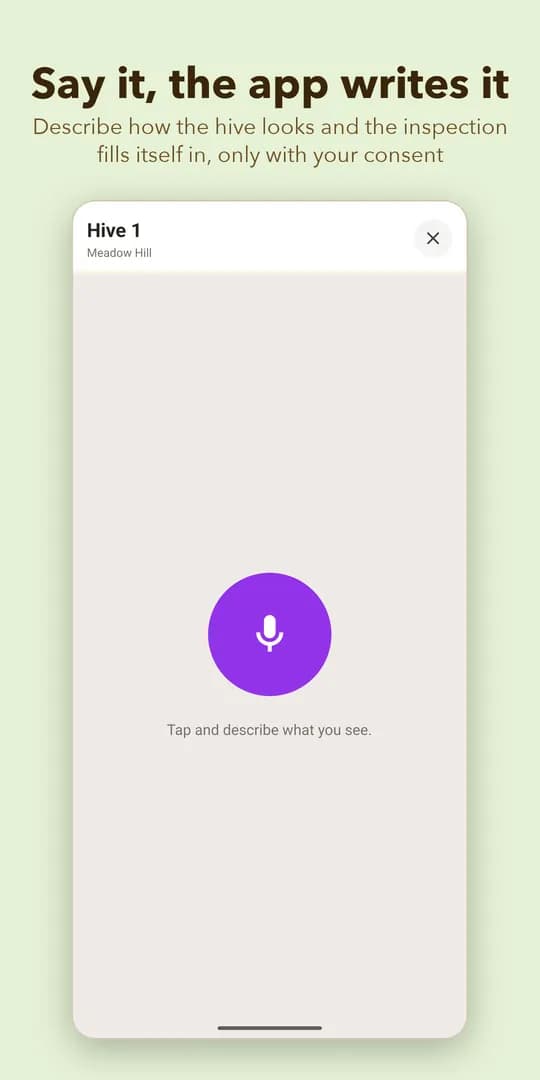
What it understands from what you say
There is no fixed script. You say things in the order you see them and BeePulse places them in the fields of the inspection. Anything it cannot place stays in the notes as free text, so nothing you said is lost.
- The queen: seen, eggs, queen cells
- Brood and the number of frames
- Food stores
- The colony’s temperament
- Problems you noticed
- Feeding (for example “two litres of syrup”)
- A treatment you gave, which goes into the treatment log
- Materials the hive needs, for example “this hive needs two frames and a feeder”, added to the materials list
You check before it is saved
The inspection does not save itself. You first see what you said and what the app understood, and you can record again or correct it by hand. When you walk a row of hives, “save and go on to the next hive” takes you straight to the next one without waiting.
Without signal, at a remote apiary
If you have no signal, the recording is saved on the phone and processed when you are back online. You do not lose the visit and you do not have to repeat anything.
What is sent, and to whom
Before your first recording, the app explains and asks your permission. Voice inspections use two external services: AssemblyAI transcribes the recording into text, and Anthropic organises the text into an inspection. Only the recording and its text are sent, and only when you record; nothing else from your account.
If you tap “Not now”, nothing is recorded or sent, and the rest of the app works as usual. You can withdraw your permission at any time under “Settings”, in Privacy, at “AI processing of recordings”.
What it costs and what it does not do
Voice Inspection is included in Pro, which costs €60/year + VAT. You get a shared monthly credit for the account of up to 400 minutes (20 minutes per hive), and one recording can last up to 25 minutes. When you sign up you get 15 days of Pro, during which voice is free. On the free Start plan, typed inspections stay unlimited.
Frequently asked questions
Which languages does voice inspection work in?
- In the app’s languages: Romanian, English, Spanish, French, Italian, German and Greek.
Can I use voice inspection for free?
- When you sign up you get 15 days of Pro, during which you can use it for free. After that, voice is in Pro; on the free Start plan typed inspections (Quick Log) stay unlimited.
How long can a recording be?
- Up to 25 minutes. The account’s monthly credit in Pro is up to 400 minutes, worked out at 20 minutes per hive.
Does it work without signal?
- Yes. The recording is saved on the phone and processed when you are back online.
What happens to my recording?
- Only the recording and its text are sent, and only when you record. AssemblyAI transcribes it into text and Anthropic organises the text into an inspection. The app asks your permission before the first recording and you can withdraw it at any time.
Do I have to follow a fixed script?
- No. You speak naturally, in the order you see things. Whatever the app cannot place stays in the notes as free text.
More about BeePulse
Try your first voice inspection at the apiary
No card · 15 days of Pro included · Then stay free, or move to Pro when you want more