Your treatment register: what you used, when, and when the honey is safe again
A guide to the Treatment log: what to record for every treatment, how to follow the no-harvest period and how to have the register ready when someone asks for it.
- Hive records
- Varroa
- Colony health
The vet comes for an inspection, or a customer who has bought your honey for years asks a simple question: what did you give the bees this year, and when? You know the answer, but it lives in three places: a notebook in the car, a few photos of Apivar boxes on your phone, and your memory.
The Treatment log in BeePulse puts it in one place. Here it is step by step: why it is worth keeping, how a treatment gets into it, how to follow the period when you don't take honey, and how to have it on paper when someone asks.
Why keep a register
A few things matter for every treatment: which hive, which product, how you applied it, how much and on what day. Just as important is when the honey from that hive is fine to take again. On paper, that last part is the easiest to lose: you write it down once, and three weeks later, when you lift the super, you don't look at the notebook.
The register has a quieter use too. It shows what you used from one year to the next, so you can see whether you rotate products or always reach for the same one. How well each treatment worked is covered in the varroa guide.
Three ways a treatment gets into the register
The direct way: open Treatment log in the left-hand menu and press Add treatment. Pick the hive, enter the product, the method and the date, and if you like the dose, the mite count and a note.
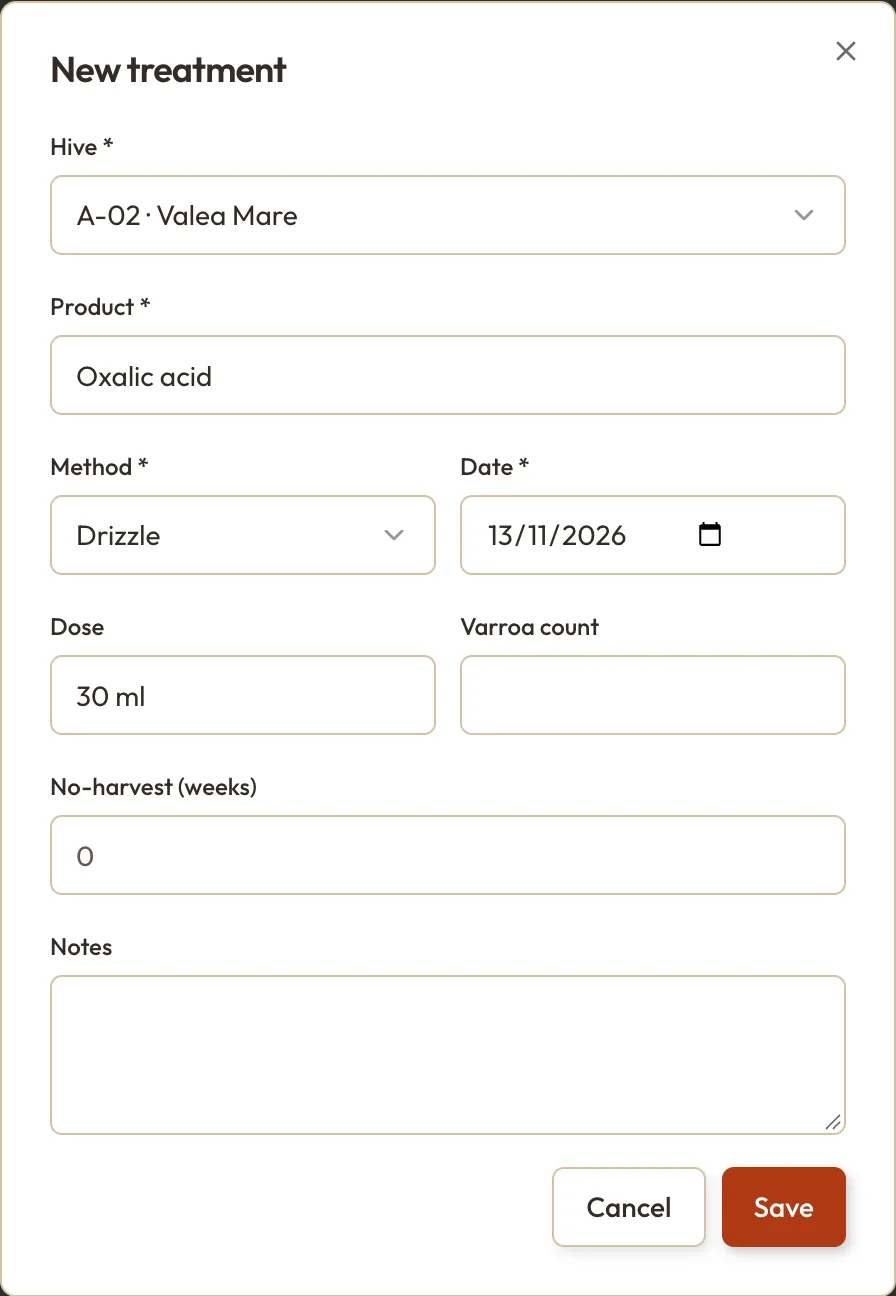
The picture shows a November treatment, oxalic acid by drizzling, on a colony without brood. The No-harvest (weeks) field stays at 0: in November there is no super left to take off. More on that field below.
If you treat during an inspection, you don't type it twice. A treatment entered in the inspection form, in Quick Log or said in a Voice Inspection lands in the register on its own. And on the Varroa page, after a count that comes out as Treat, Start a treatment opens the same form with the hive already chosen.
The no-harvest period
Some treatments come with a period when you don't take honey from the hive. It is on the product label, or your vet tells you. Many beekeepers also use it more simply: no harvest while the treatment is in the hive. Enter the number of weeks in the form, and the app works out the date and remembers it for you.
The warning shows where you look before lifting a super: in the register, on the hive's card, on the Varroa page and in the calendar under Inspections, where every day of the period carries the 🚫🍯 mark.
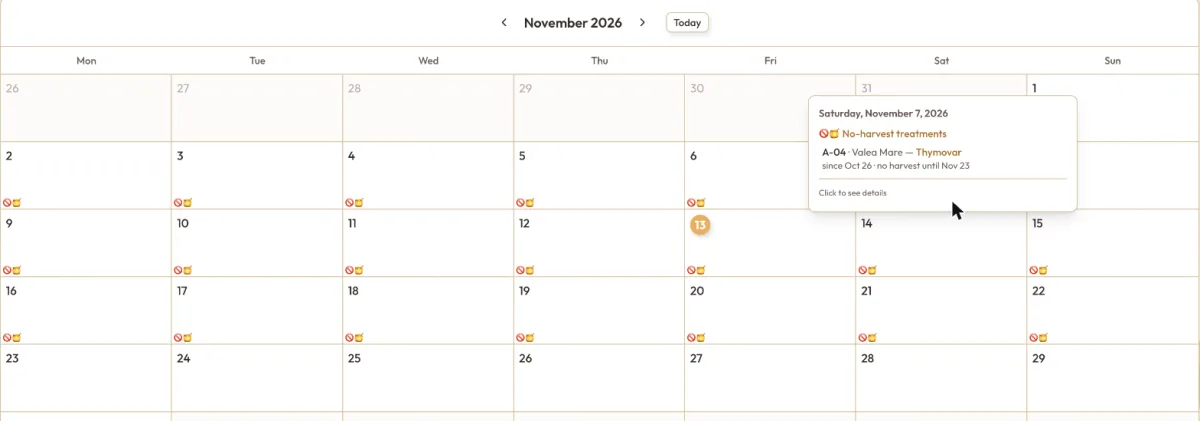
On hive A-04, the beekeeper decided not to take honey while the Thymovar is in and entered four weeks, which runs to 23 November. Anyone who opens the app sees it before taking anything off that hive. After the date, the register says Withdrawal ended.
Keeping the register right
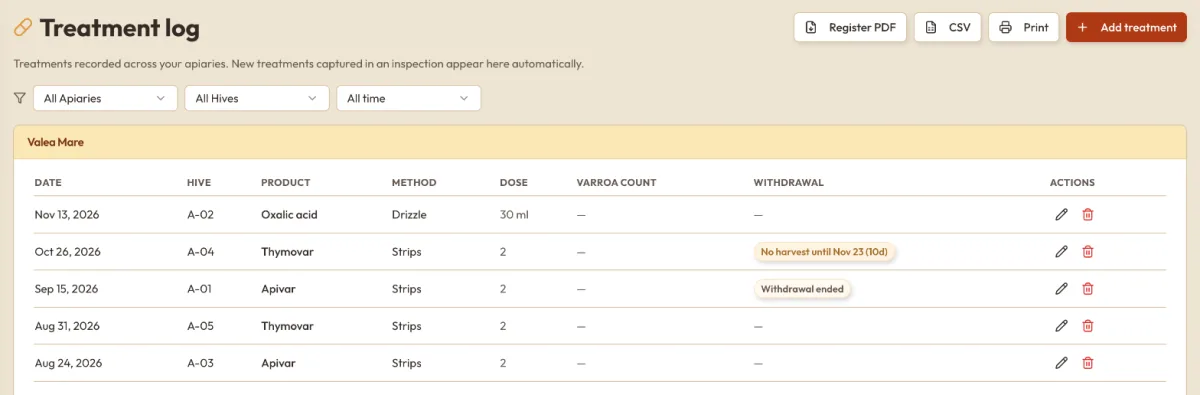
The Treatment log page shows every treatment, grouped by apiary, newest first. The filters at the top narrow it to one apiary, one hive or a period. If a dose or a date is wrong, the pencil on the row opens the treatment so you can fix it, and the bin deletes it.
When someone asks for it on paper
For an inspection or your own files, you have three options, all on the same page:
- Register PDF makes an A4 document with a section per apiary and numbered rows: date, hive, product, method, dose, mites and the date until which you don't harvest.
- CSV exports the same rows, plus the apiary and the notes, as a table you can open in Excel.
- Print sends the page to your printer as you see it, no Pro needed.
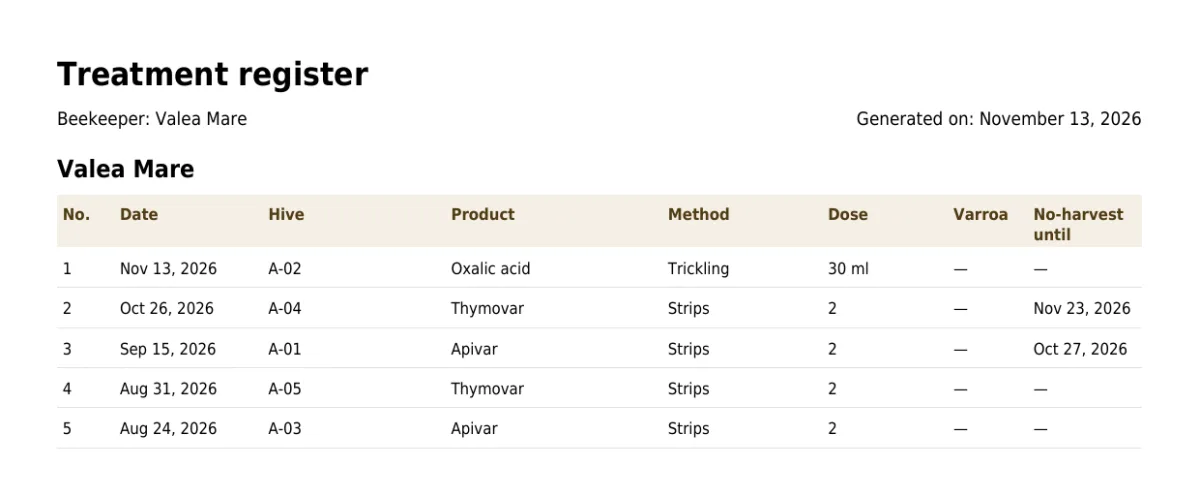
The filters apply here as well: choose one apiary and a period, and that is exactly what goes into the PDF and the CSV.
The Register PDF, the CSV, and treatments entered in an inspection or by voice are part of Pro. The register itself, the no-harvest period, the warnings and printing the page are in the free Start plan too. The differences are on the pricing page.
What it doesn't do
The app doesn't tell you which product to use, what dose, or how many days to wait. That is what the product label and your vet are for. The PDF isn't an official form either: it is your own register, put in order, which you check, sign and keep.
The next treatment takes two minutes to enter, on the day you give it. At the next inspection, you won't be searching through notebooks.